Gauge Weights
What are Gauge Weights
Each week on Curve, a fixed amount of CRV is emitted and distributed to liquidity providers. Where that CRV flows is decided by the gauge weight system. veCRV holders vote to assign weights to different gauges, which are smart contracts that track deposits of LP tokens or vault shares. The more votes a gauge receives, the more CRV it distributes to depositors (stakers) over the week. Gauge weights are updated every Thursday at 00:00 UTC, and rewards are continuously distributed proportionally based on their share of the total staked value.
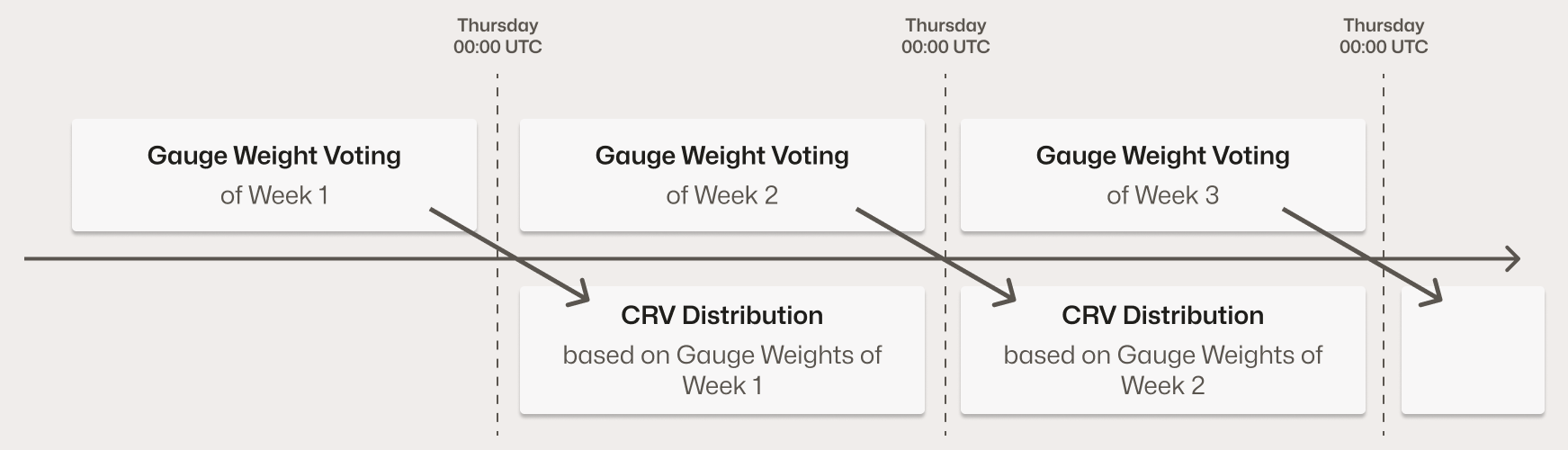
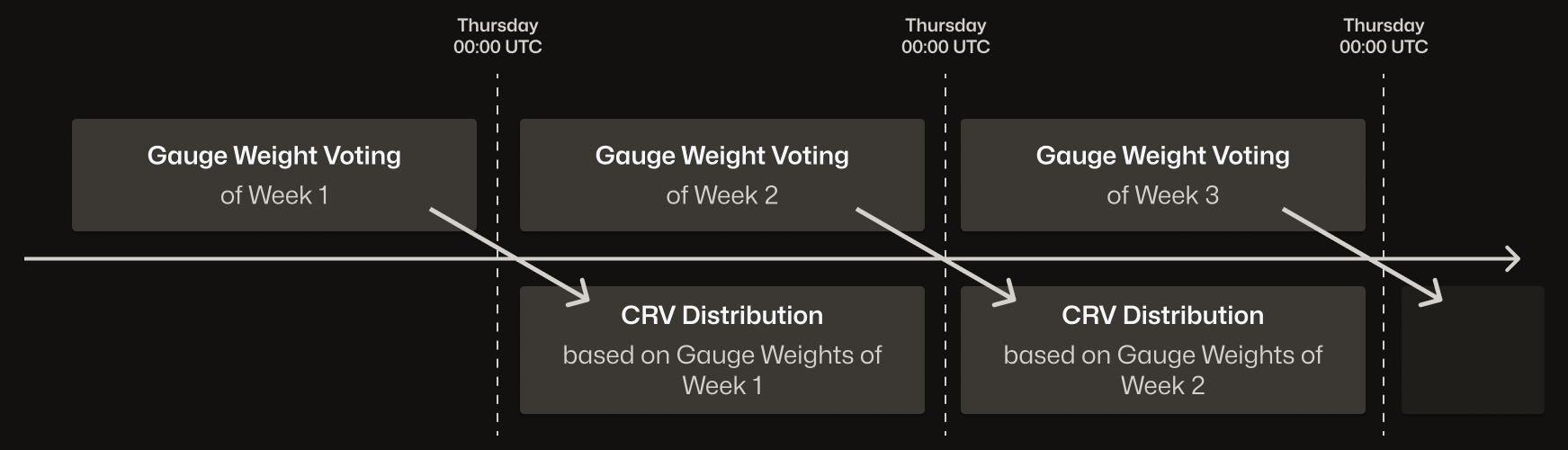
Thursday 00:00 UTC: A snapshot is taken for this week's gauge weights. Pool A's gauge receives 10% of all veCRV votes. As a result, 10% of the weekly CRV inflation is allocated to Pool A's gauge and distributed to users who stake the LP token of that pool in the gauge throughout the week.
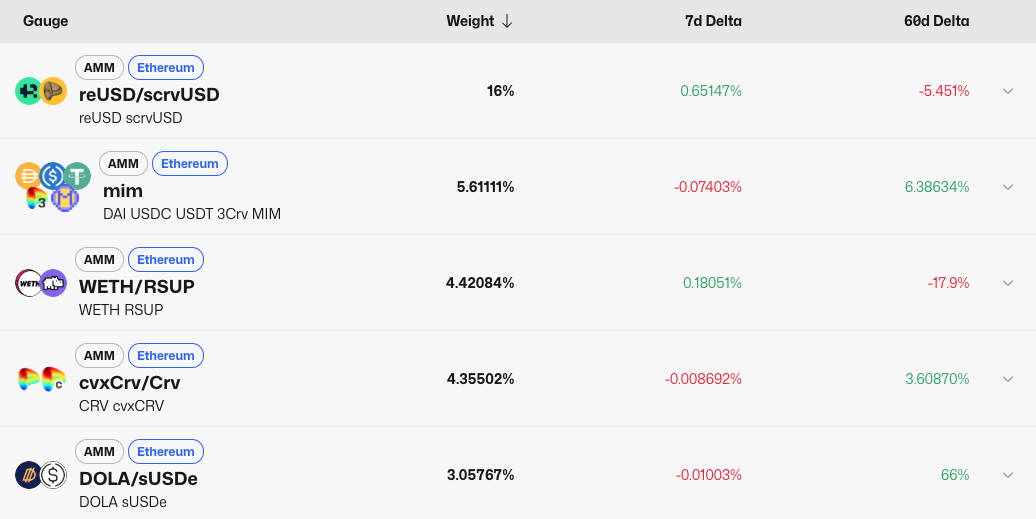
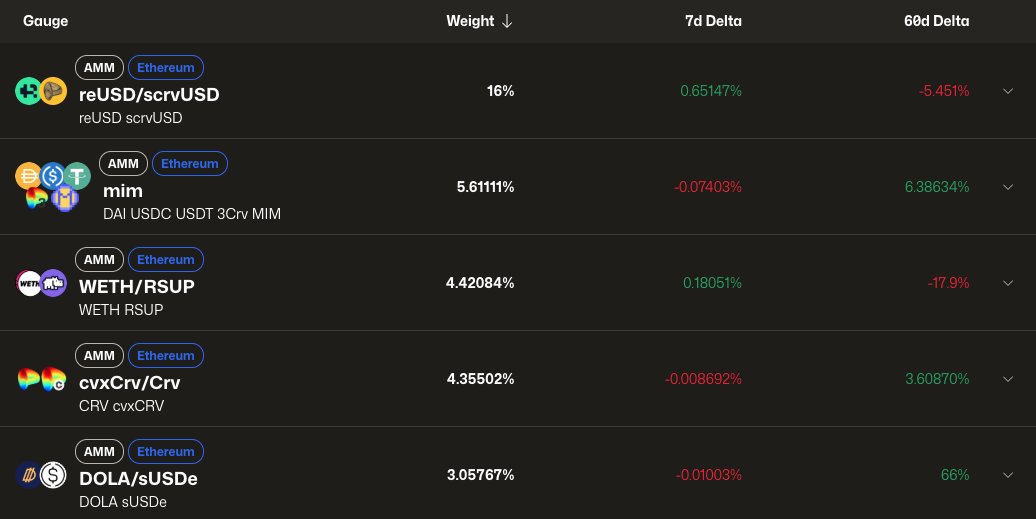
To check the current gauge weights across all gauges, visit the Curve DAO Gauge Section and connect your wallet to load the data.
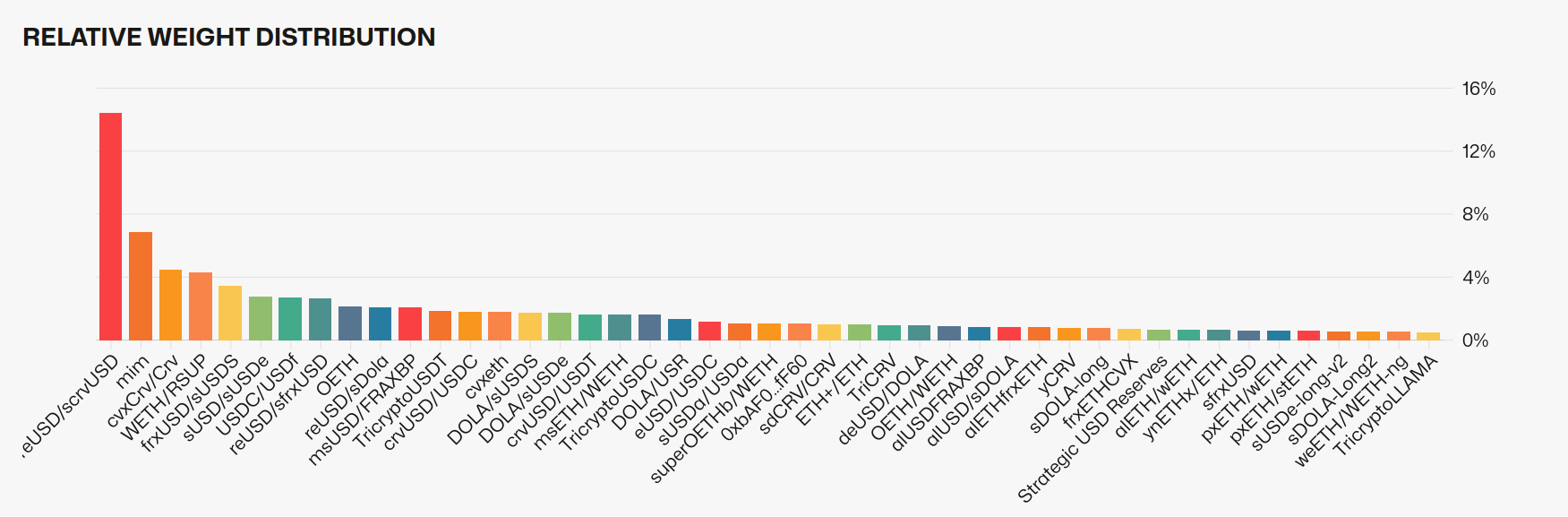
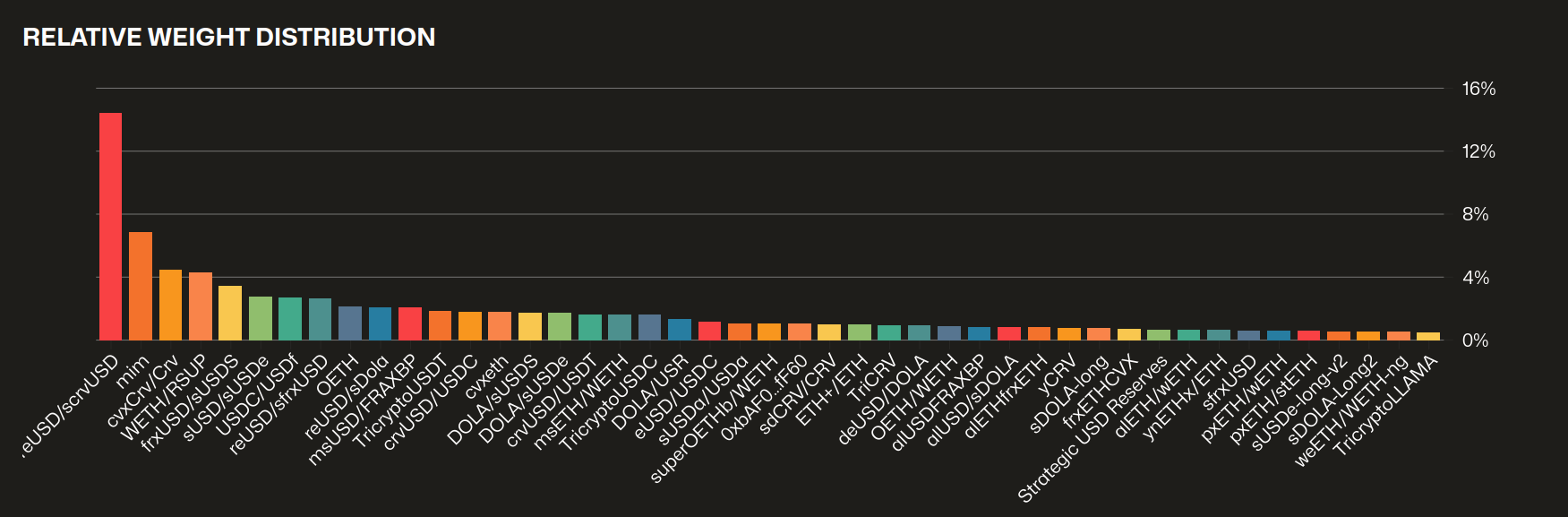
Below the chart is a table listing each gauge. Users can click on a gauge to view analytics like past relative weights, how much CRV it's receiving this week, and other details.
Voting for Gauge Weight
Users can start voting for gauge weights as soon as they have voting power in the form of veCRV. If a user freshly locks CRV, they will not be able to take part in the current gauge weight voting cycle and must wait for the next week (updates every Thursday 00:00 UTC). A user's votes on gauge weights are not final and can be adjusted. You can change your vote on each gauge every 10 days. Your votes are not reset every Thursday at 00:00 UTC - if you don't change your weight, your voting power allocation will simply remain the same.
Since gauge weight voting is fully on-chain, each vote requires signing a transaction and paying gas fees.
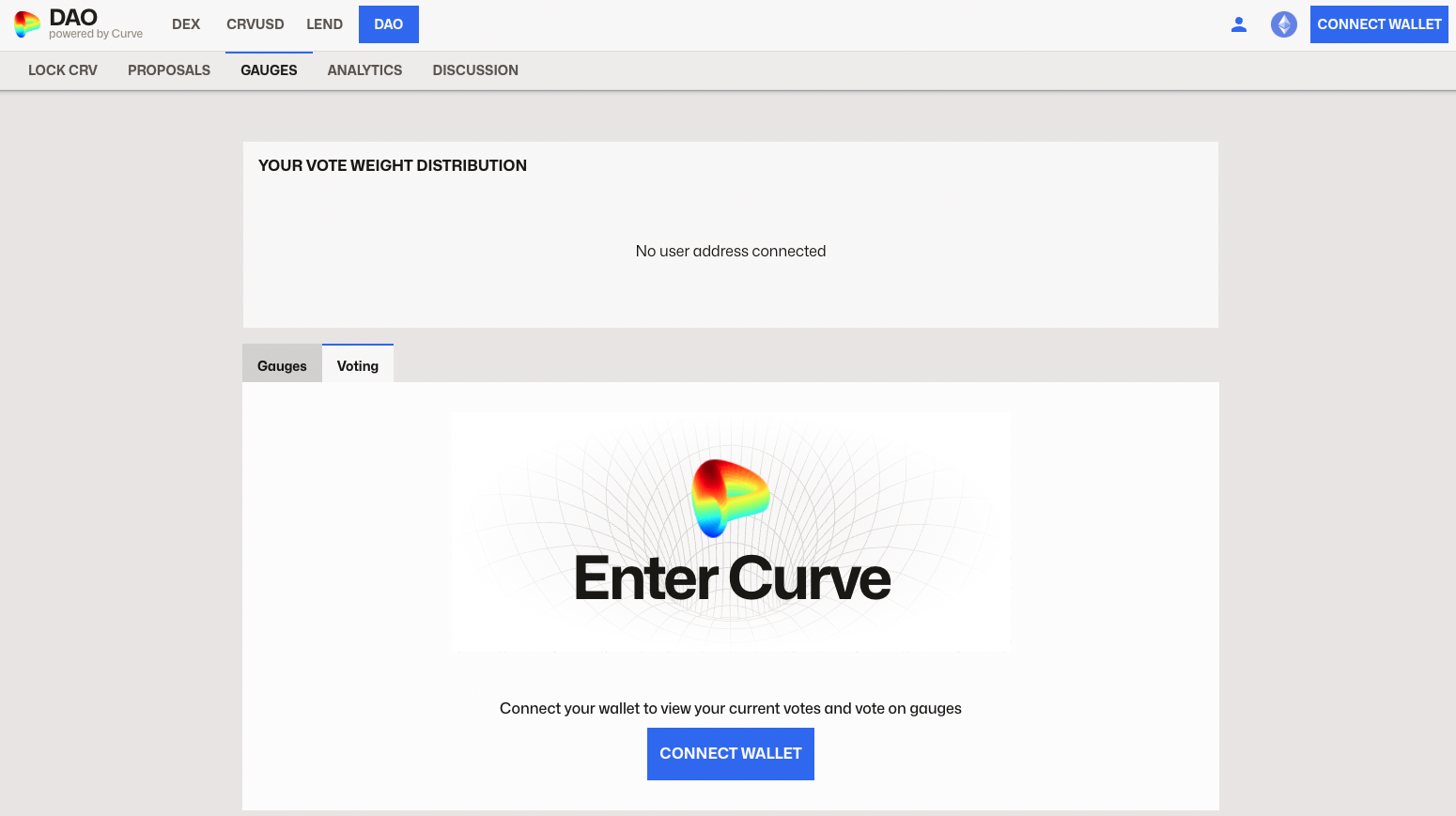
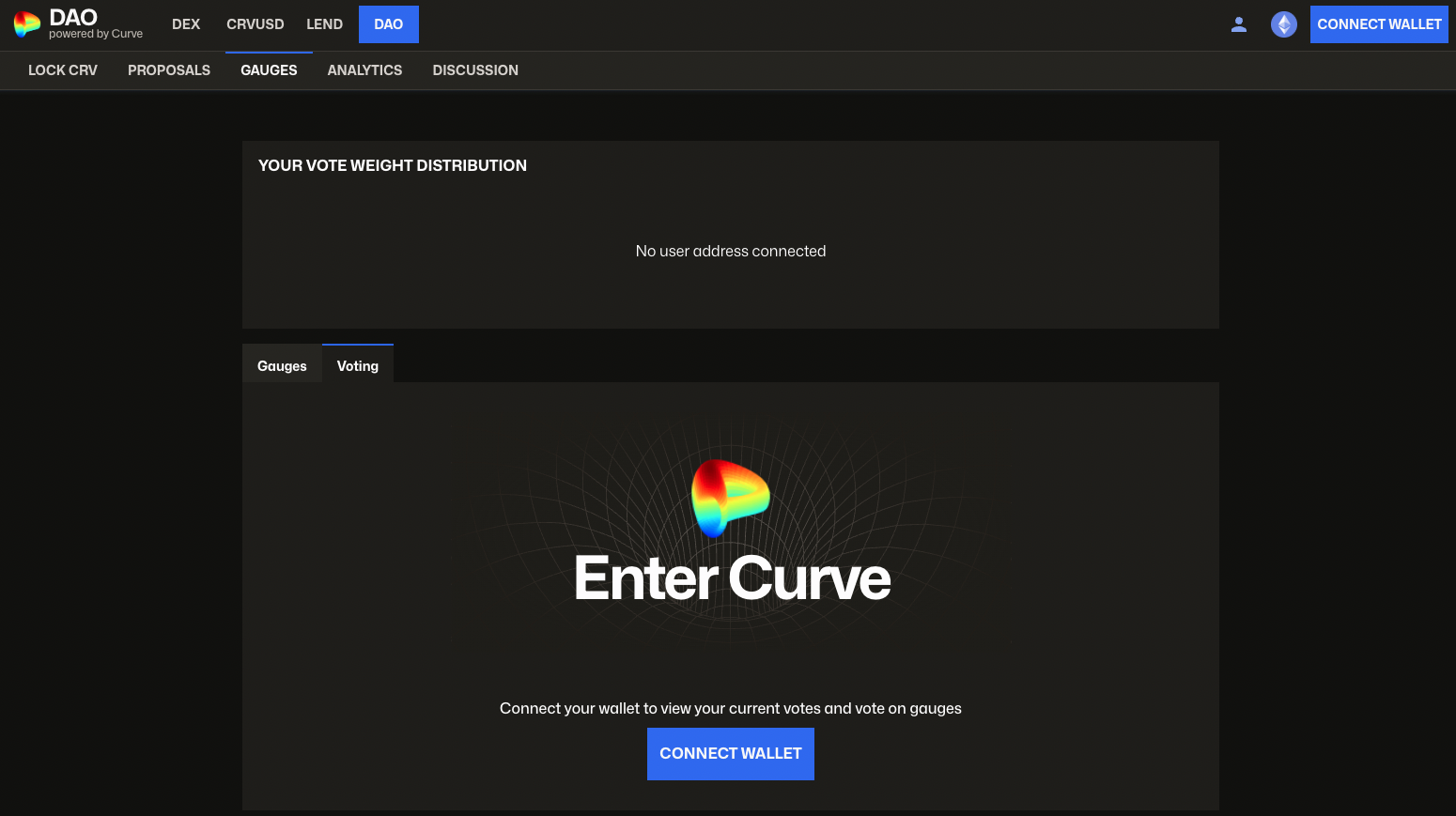
To get started, simply navigate to DAO -> Gauges -> Voting and connect your wallet:
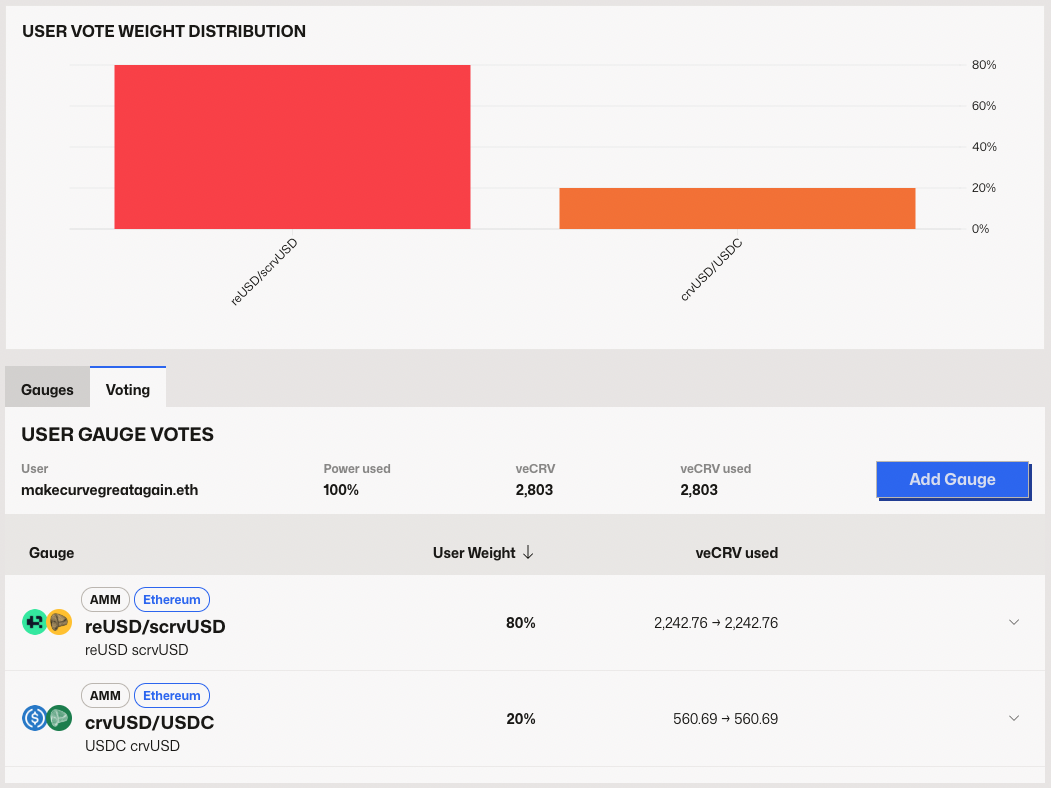
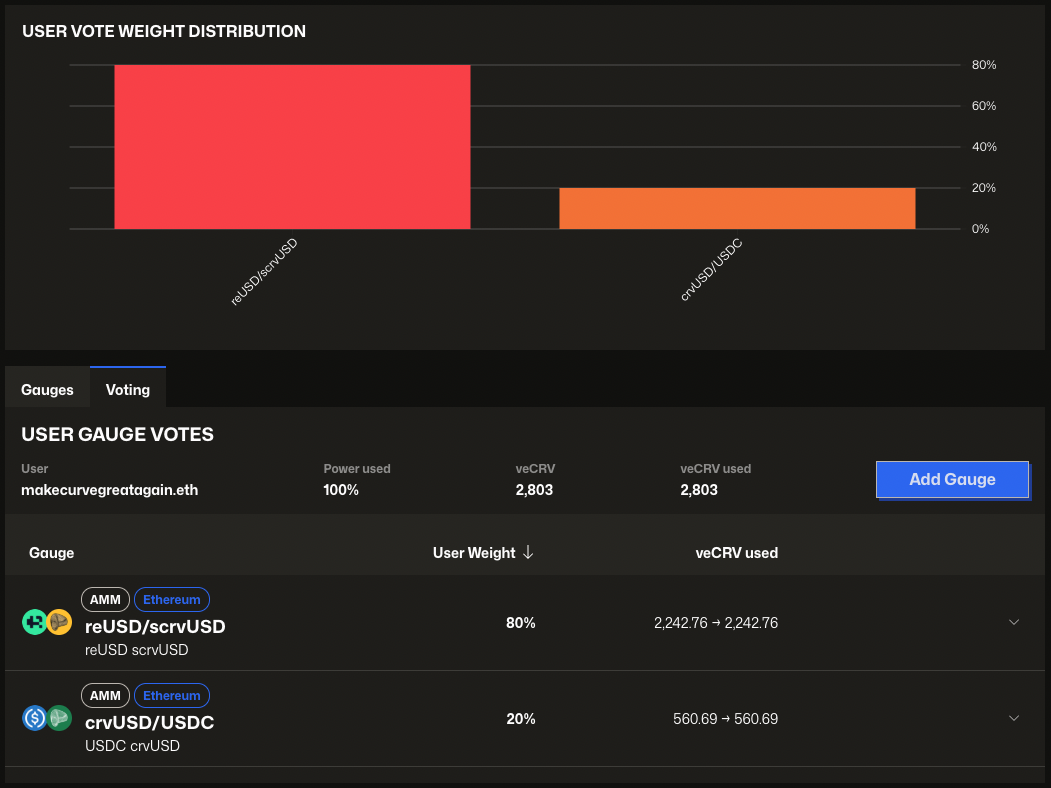
If you have already allocated some or all of your voting power, your vote weight distribution will show up:
Voting For the First Time
If you are voting for the first time, your used voting power starts at 0%. You can distribute up to 100% of your voting power across as many gauges as you wish. You don't need to allocate the full 100% - you can use as much or as little as you want.


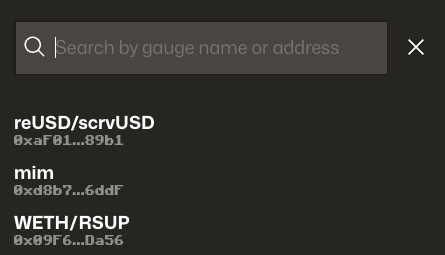
To vote for your first gauge, click the blue "Add Gauge" button and select the gauge you want to vote for. You can search by name or gauge address.
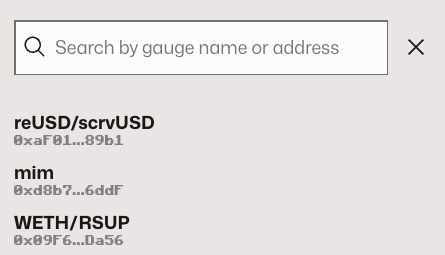
After selecting the gauge, input the percentage of your voting power you want to assign, click the blue Vote button, and sign the transaction in your wallet to cast the vote.
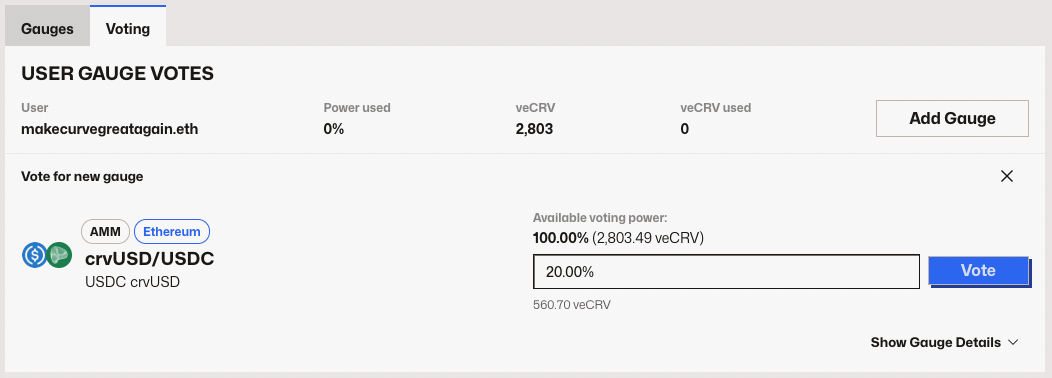
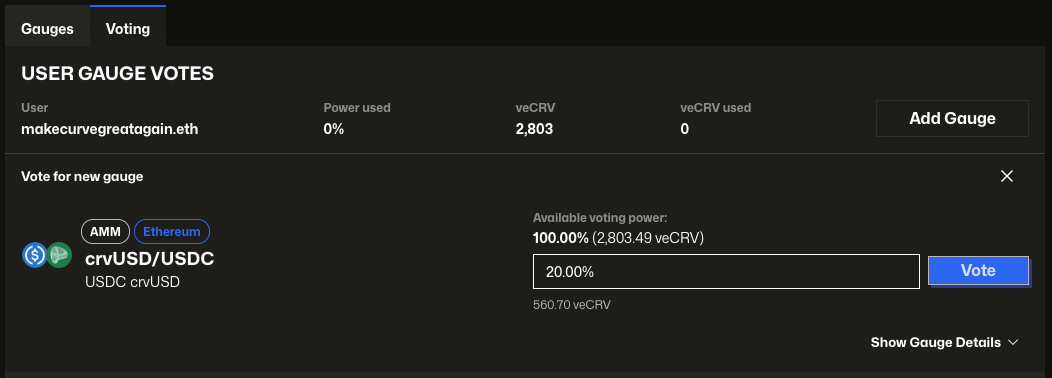
You can vote for as many gauges as you wish and use up to 100% of your voting power. Your overview page will update accordingly after each vote.


Updating Your Gauge Weights
If you've already voted for a gauge and want to adjust your allocation, you can do so at any time — but with one important restriction: You can only change your vote on a specific gauge once every 10 days.
To update your current weights:
- Click on the gauge you want to update
- Enter the new percentage you want to allocate (any value between 0% and your available voting power)
- Click the
Update Votebutton - Sign the transaction in your wallet
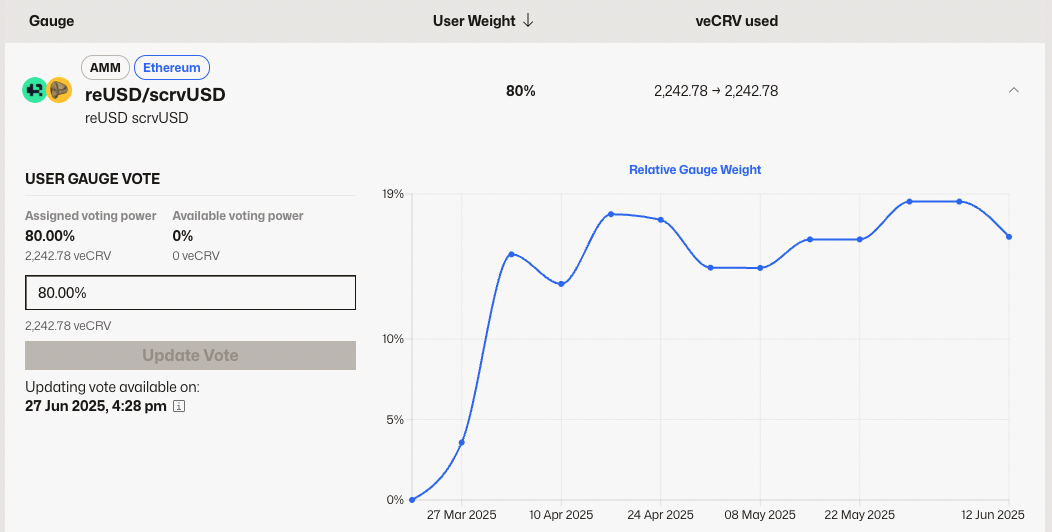
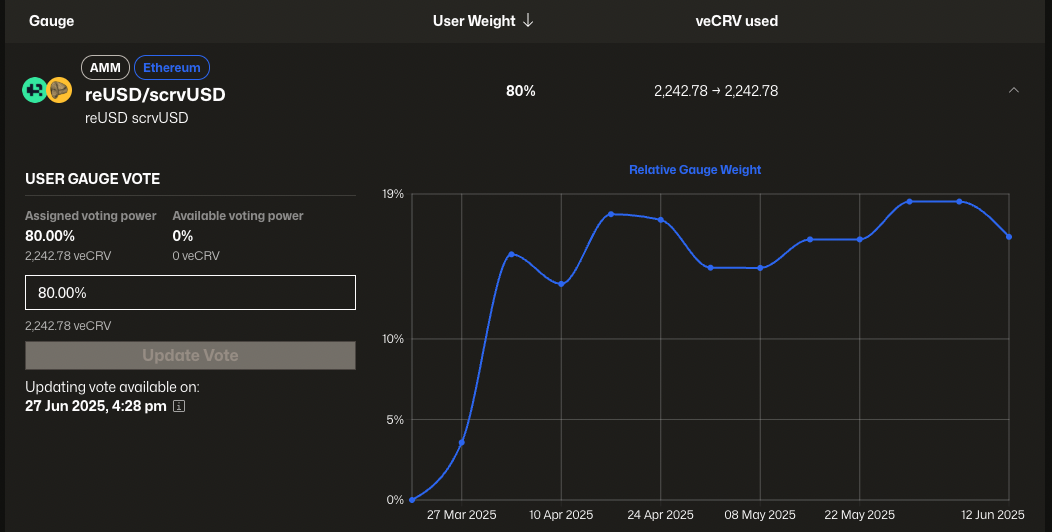
The UI shows you the exact date and time when you'll be able to update your vote on each gauge again. In this example, the user needs to wait until June 27th to adjust the weight.
You previously allocated 80% of your voting power to the reUSD/scrvUSD gauge. You can reduce it to 60%, and immediately reallocate the freed-up 20% to other gauges.
However, if you later want to reduce your vote on reUSD/scrvUSD again (e.g., from 60% to 38%), you'll need to wait 10 days from your last change to that specific gauge.
Gauge Weights on L2s
While gauge voting takes place only on Ethereum, Curve has built a permissionless system to allow gauges on other chains (L2s and sidechains) to receive gauge weights and CRV emissions. Here's how it works:
- Proxy Gauges: A "proxy" gauge is deployed on Ethereum for each L2/sidechain gauge
- Voting: veCRV holders vote on these proxy gauges just like regular gauges
- Bridging: After the full epoch's CRV emissions have been streamed to the proxy gauge, they are bridged to the corresponding chain
- Distribution: The bridged CRV is then distributed to users who have staked LP tokens in the actual L2/sidechain gauge
Gauge emissions on L2 and sidechain gauges are delayed by about one week compared to Ethereum gauges. This is because CRV must first be fully streamed to the proxy gauge over the 7-day epoch before it can be bridged. Once streaming is complete, bridging is usually very fast.
FAQ
Getting Started & Prerequisites
What is veCRV & why do I need it to vote?
veCRV (vote-escrowed CRV) is a token you get when you lock your CRV tokens for a specific period. The longer you lock, the more veCRV you receive. You need veCRV to participate in gauge weight voting because it represents your voting power in the Curve DAO.
What if I add more CRV or extend my lock?
If you increase your veCRV balance (by locking more CRV or extending the lock), your vote power increases — but you must re-vote to apply the new power.
What's the minimum amount of veCRV I need to vote?
There's no minimum amount of veCRV required to vote. However, the more veCRV you have, the more voting power you'll have. Even a small amount of veCRV allows you to participate in the governance process.
Do I need to stake LP tokens to vote on gauges?
No, you don't need to stake LP tokens to vote on gauges. Gauge voting and LP staking are separate activities. You can vote on gauges with just your veCRV tokens. However, to earn rewards from the gauges you vote for, you would need to stake LP tokens in those specific pools.
Voting Mechanics
Can I vote for multiple gauges at once?
Yes! You can vote for as many gauges as you want, but your total voting allocation cannot exceed 100% of your voting power. You can distribute your votes across multiple gauges (e.g., 40% to gauge A, 30% to gauge B, 30% to gauge C).
How often can I change my vote?
You can update your voting weights once every 10 days per gauge.
How often are gauge weights updated?
Gauge weights are recalculated every Thursday at 00:00 UTC based on all active votes. CRV emissions are then distributed according to these updated weights.
What happens if I don't use all 100% of my voting power?
If you don't use all 100% of your voting power, the unused portion simply goes unused. You're not penalized for this, but you're missing out on potential influence. You can always come back later to allocate the remaining voting power.
When do my votes take effect?
Your votes take effect at the next weekly update, which happens every Thursday at 00:00 UTC. If you vote on Wednesday, your votes will be active starting Thursday. If you vote on Friday, you'll need to wait until the following Thursday.
What happens if I try to vote on a gauge before the 10-day cooldown expires?
The UI will prevent you from voting on that gauge. If you attempt to do so, the transaction will fail and you'll see an error message. You'll need to wait until the 10-day cooldown period expires before you can modify your vote on that specific gauge again.
Do my votes carry over to the next week if I don't change them?
Yes! Your votes automatically carry over to the next week. You don't need to re-vote every week unless you want to change your allocations.
Should I reset my gauge votes before re-voting?
No. Resetting your votes (setting your votes to 0%) will trigger a 10-day cooldown for those gauges. To update your vote, just re-cast it — no reset needed. E.g. if you want to decrease your vote for a gauge from 80% to 60%, don't do 80 -> 0 -> 60. Simply do 80 -> 60.
Resetting gauge weights before re-voting will block you from voting again for 10 days on those same gauges.
Always re-vote directly unless you're intentionally changing your selection.
Rewards & Benefits
How do I earn rewards from gauge voting?
Gauge voting itself doesn't directly earn you rewards. However, by voting on gauges, you're helping direct CRV emissions to specific pools. To actually earn rewards, you need to stake your LP tokens in the pools that have gauges you voted for.
Do I earn CRV just by voting, or do I need to stake LP tokens too?
You need to stake LP tokens to earn CRV rewards. Voting on gauges only directs where the CRV emissions go - it doesn't earn you rewards directly. You must stake LP tokens in the pools you voted for to receive the CRV rewards.
When do I receive rewards from my gauge votes?
Rewards are distributed continuously throughout the week to users who have staked LP tokens in the gauges. The rewards you receive depend on your share of the total staked value in that gauge. You can claim your rewards at any time through the Curve interface.