Guide: Depositing to a Pool
The UI makes depositing to a pool easy. Follow along below.
1. Go to the pools overview
First of all go to the pools overview page here:
 Curve's DEX
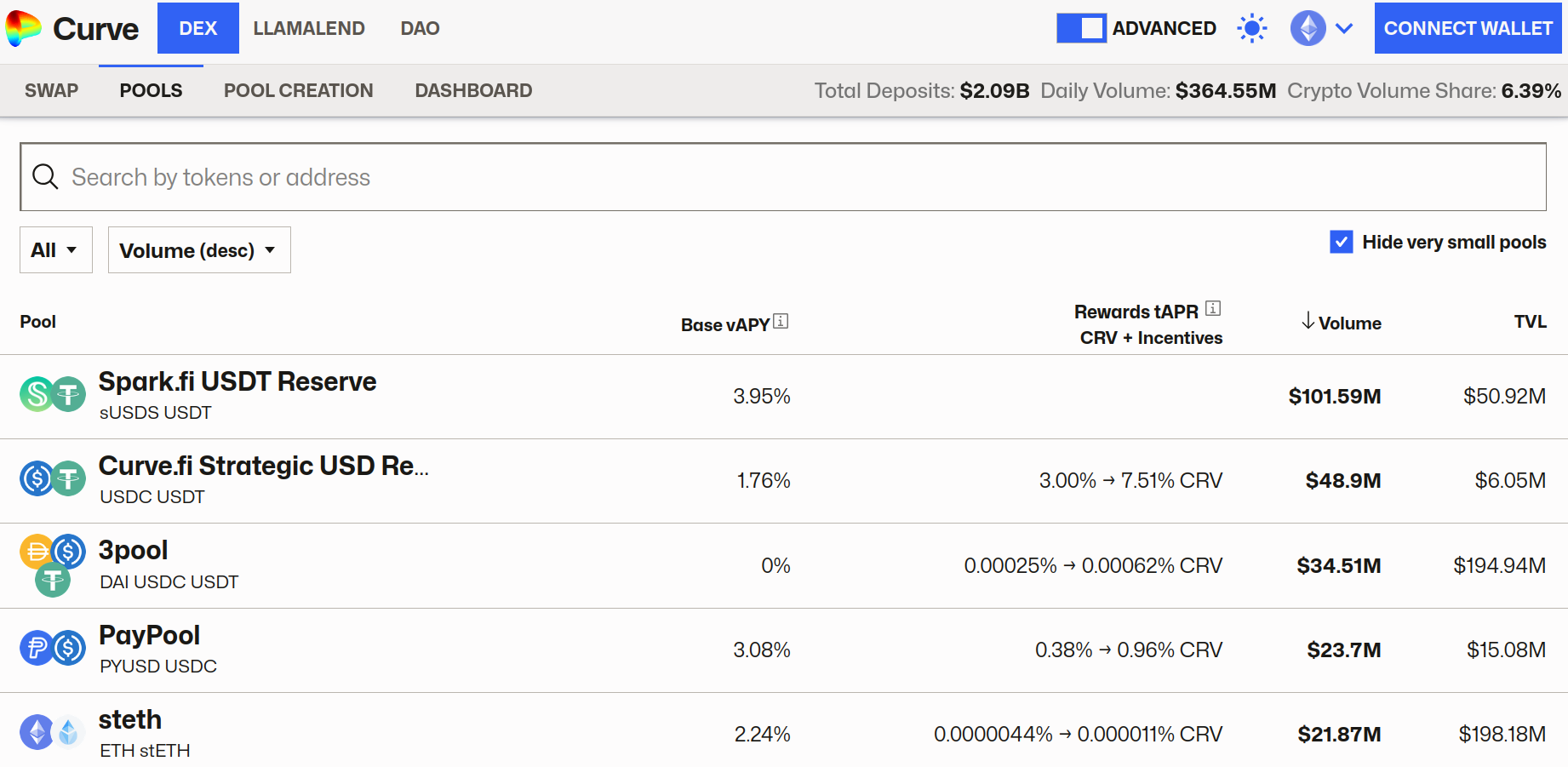
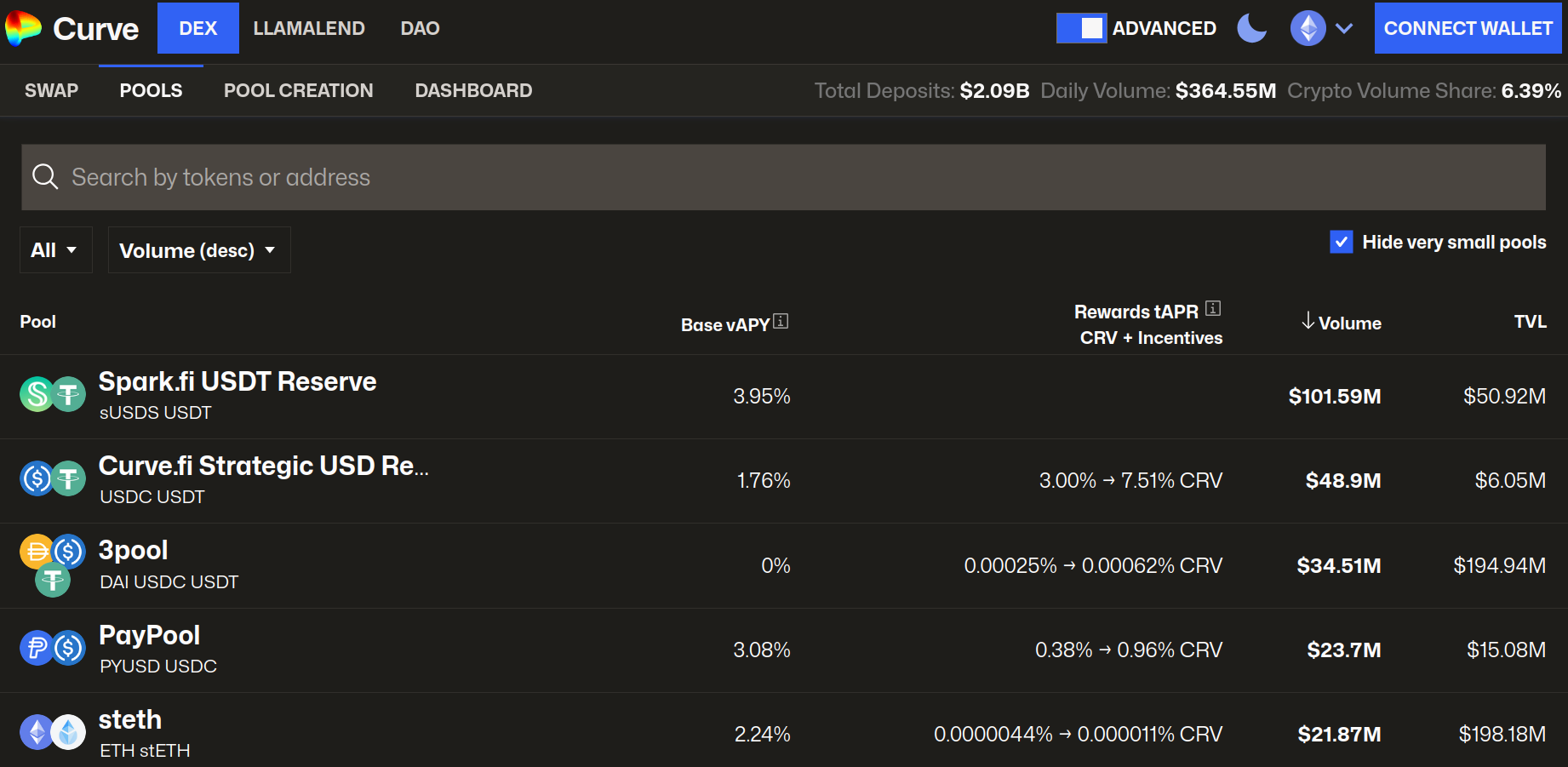
You will then all the different pools on the network you are currently connected to, if you would like to see the pools for a different network, you can change this in the top right hand corner. You should see a screen like the following:
2. Choose your desired pool
The pools overview above shows a list of all the available pools on that network, you can also search for an asset you would like to deposit, e.g., crvUSD, CRV, etc.
In this example we will be depositing to the crvUSD/USDC pool. You can search for it on the overview page and click it to see the details of this pool and deposit, or click here: crvUSD/USDC Pool
3. Deposit & Stake - Choose Amounts
In this example we will be doing Deposit & Stake as a single transaction. However, depositing and staking are two different actions, and can be done separately:
- Deposit: Depositing is depositing your assets into the pool. When you do this you receive LP tokens in return, and start earning trading fees from swaps.
- Staking: Stake your LP tokens in the pool's reward gauge, this means you can earn CRV or other token rewards, if available.
More info on how each of these actions work in the Understanding Rewards page.
Now on the crvUSD/USDC pool page, we can see the deposit menu to the left and choose deposit & stake and choose how much we'd like to deposit, here we are depositing $10k crvUSD:
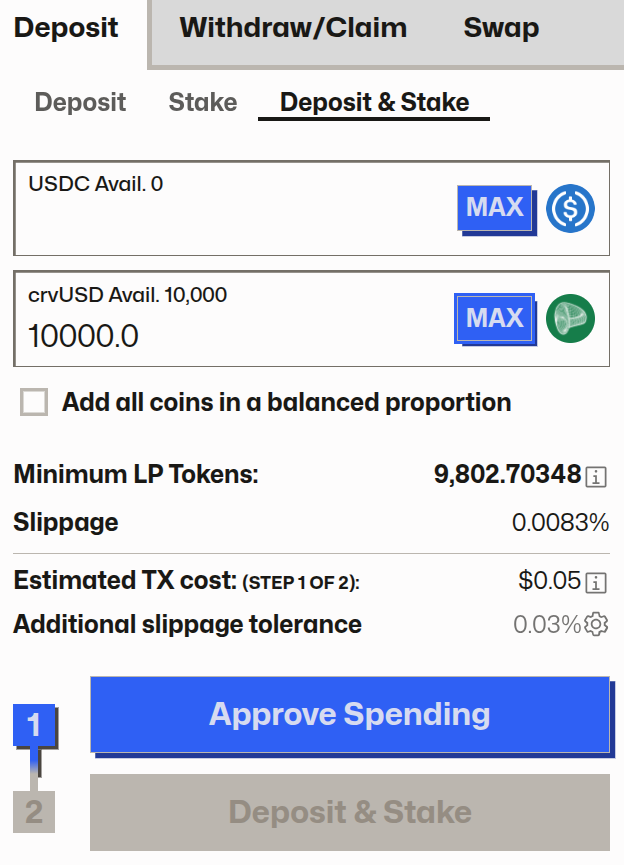
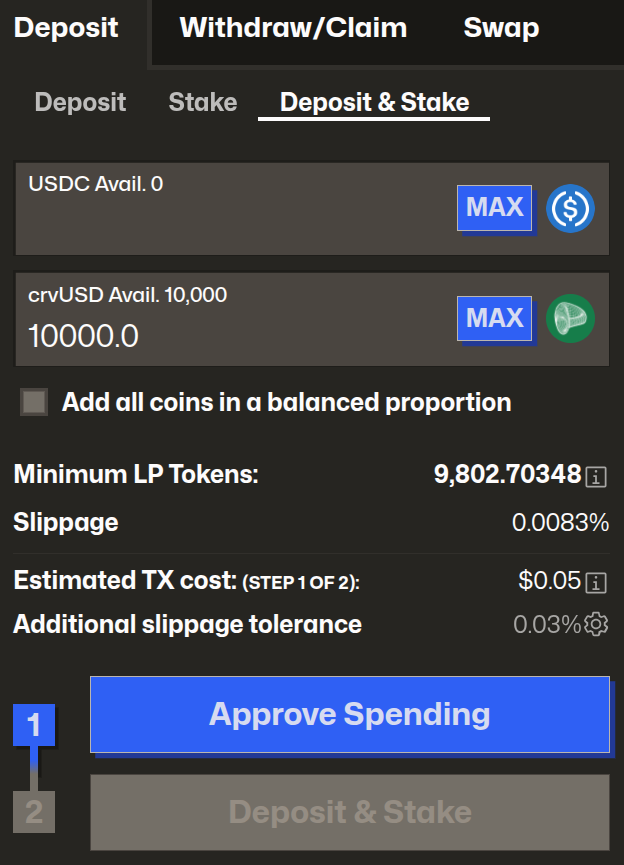
Note that we don't have to deposit both crvUSD and USDC to the pool.
4. Deposit & Stake - Complete Transactions
To complete the Deposit & Stake, you'll likely need to perform two separate transactions:
- Approve: Before swapping a token for the first time, you must grant the Curve smart contract permission to interact with it. This is a standard security step in DeFi. Click
Approveand confirm the transaction in your wallet. You only need to do this once per token. - Deposit & Stake: Once the approval transaction is confirmed, the button will change to
Deposit & Stake. Click it and confirm the final transaction in your wallet to execute the trade.
5. Confirmation
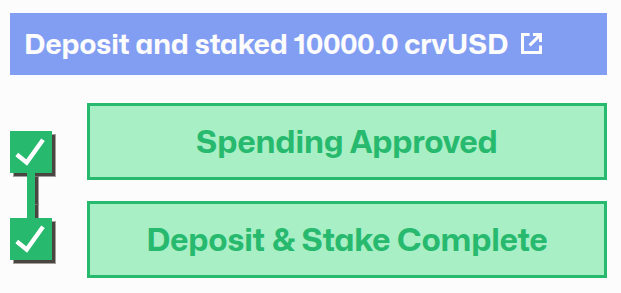
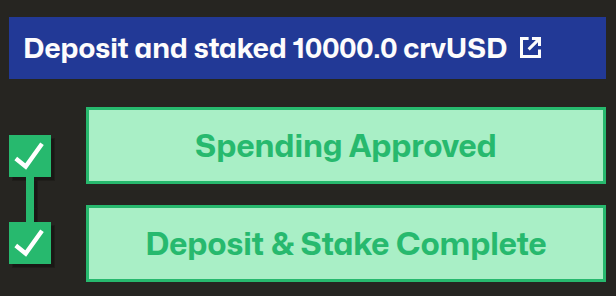
After a few seconds, the transactions should be confirmed on the blockchain. The interface will confirm to show your transactions were successful:
Then underneath the chart, where it shows the Pool Details, there will be a new tab called Your Details, click on this to see your deposit details:
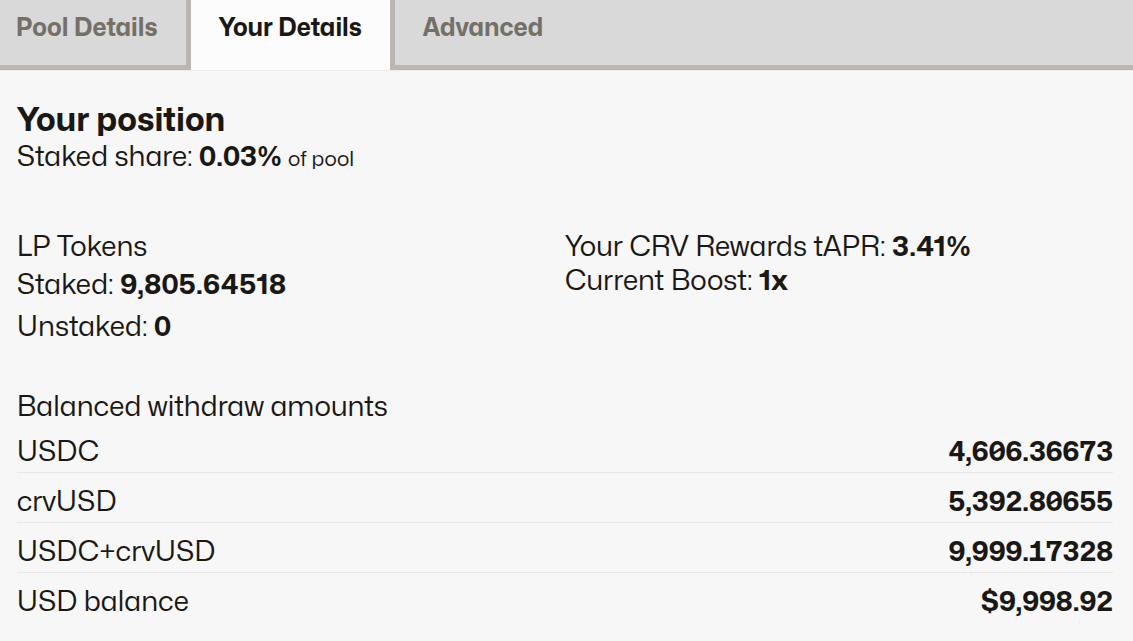
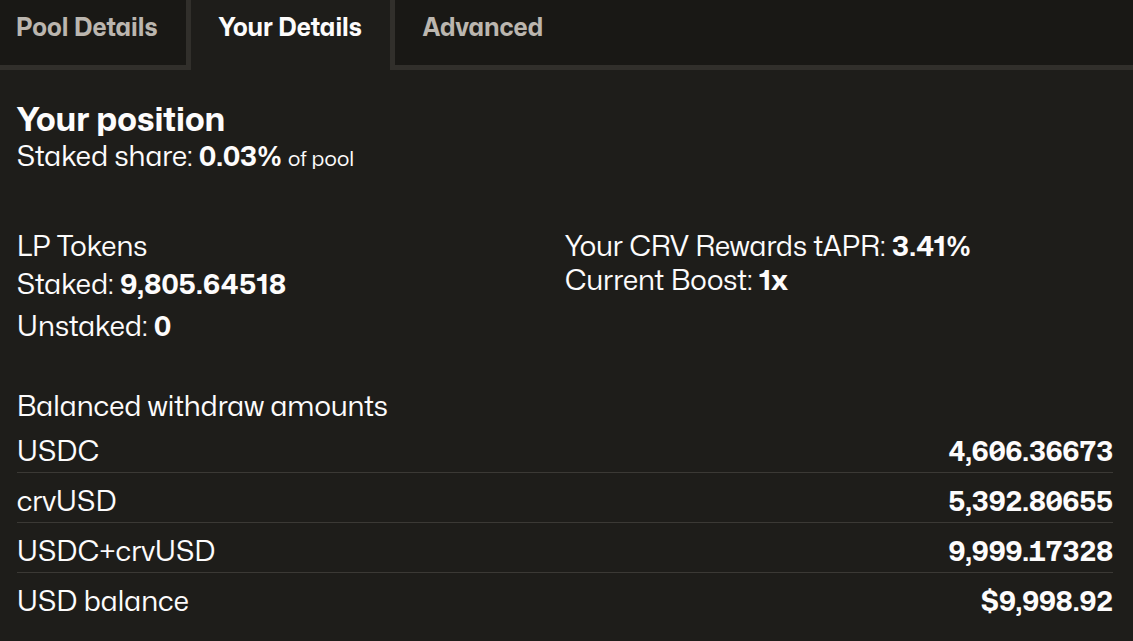
Here we can see our details
- 9,805 LP Tokens: Our $10k
crvUSDwas converted to 9,805 LP tokens, which are currently staked. - We now have
USDCandcrvUSD: We own a share of assets in the pool, so that means we have 4,606USDCand 5,392crvUSD. As users swap in this pool, these numbers will change, and the total should increase because of earned swap fees, becoming worth more than $10k in time. - Earning 3.41%
CRVAPR: This means we will earn $341 ofCRVif we stake for a year and the interest rate stays the same. - Boost is 1x: we don't have any veCRV, so our boost is 1x.